📝 Wigglypaint Changelog
Version history and updates for Wigglypaint
v1.5 - Latest Version ✨
Released: February 7, 2026
Wigglypaint 1.5 brings exciting new creative tools and quality-of-life improvements:
10 Fun New Shapes
10 fun new shapes for coloring and erasing, including some itty-bitty, teeny-tiny brushes by popular demand
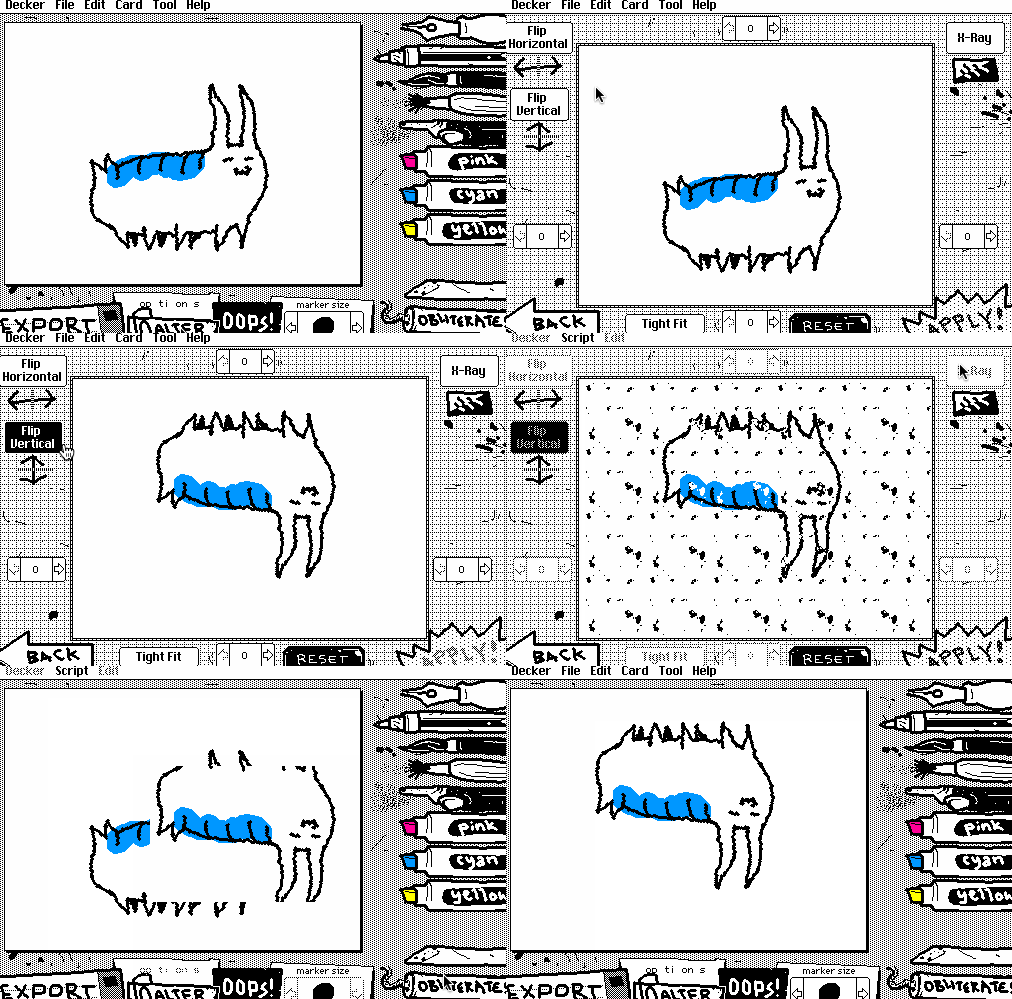
Alter Dialog
The "Crop" dialog has been upgraded to "Alter", now supporting image flipping (horizontal/vertical) and X-Ray mode for inverting color schemes
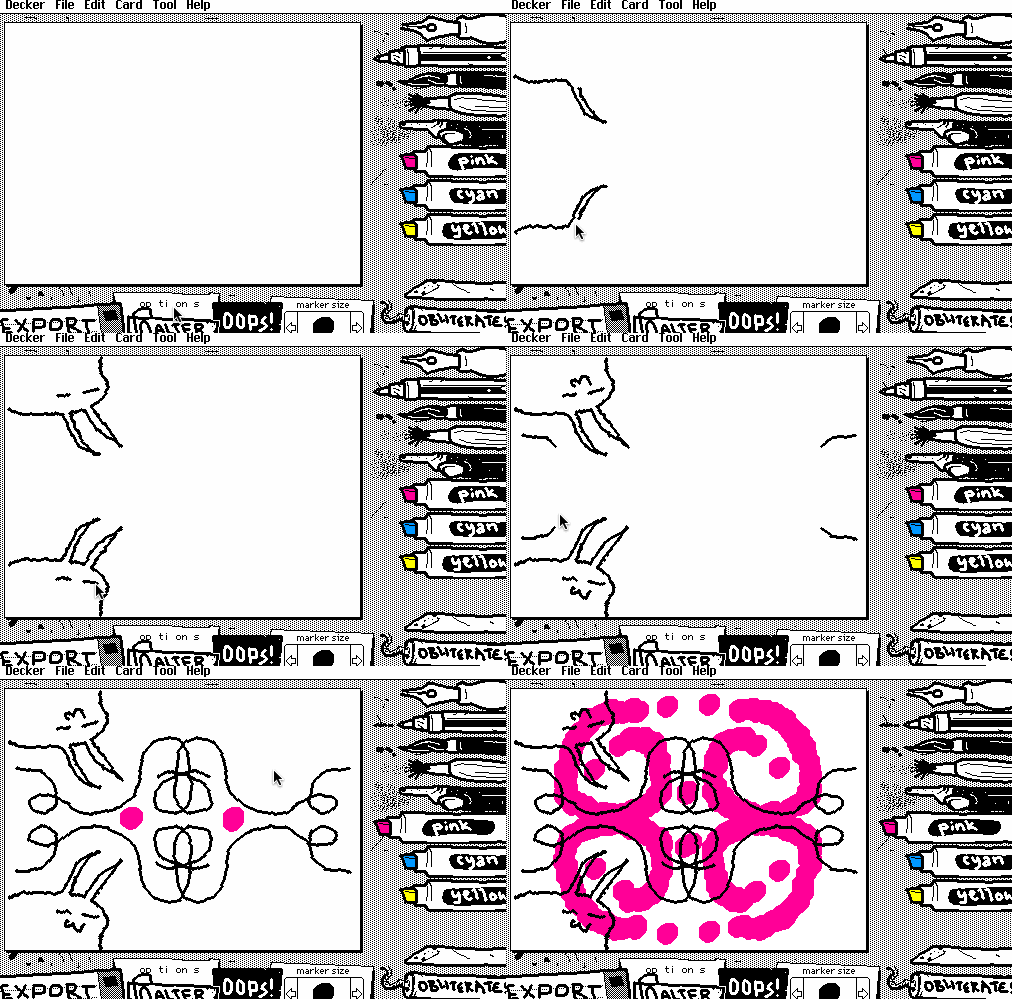
Mirror Brushstrokes
Mirror your brushstrokes vertically, horizontally, or both at once — the world is now your kaleidoscope! Works with all drawing tools and erasers
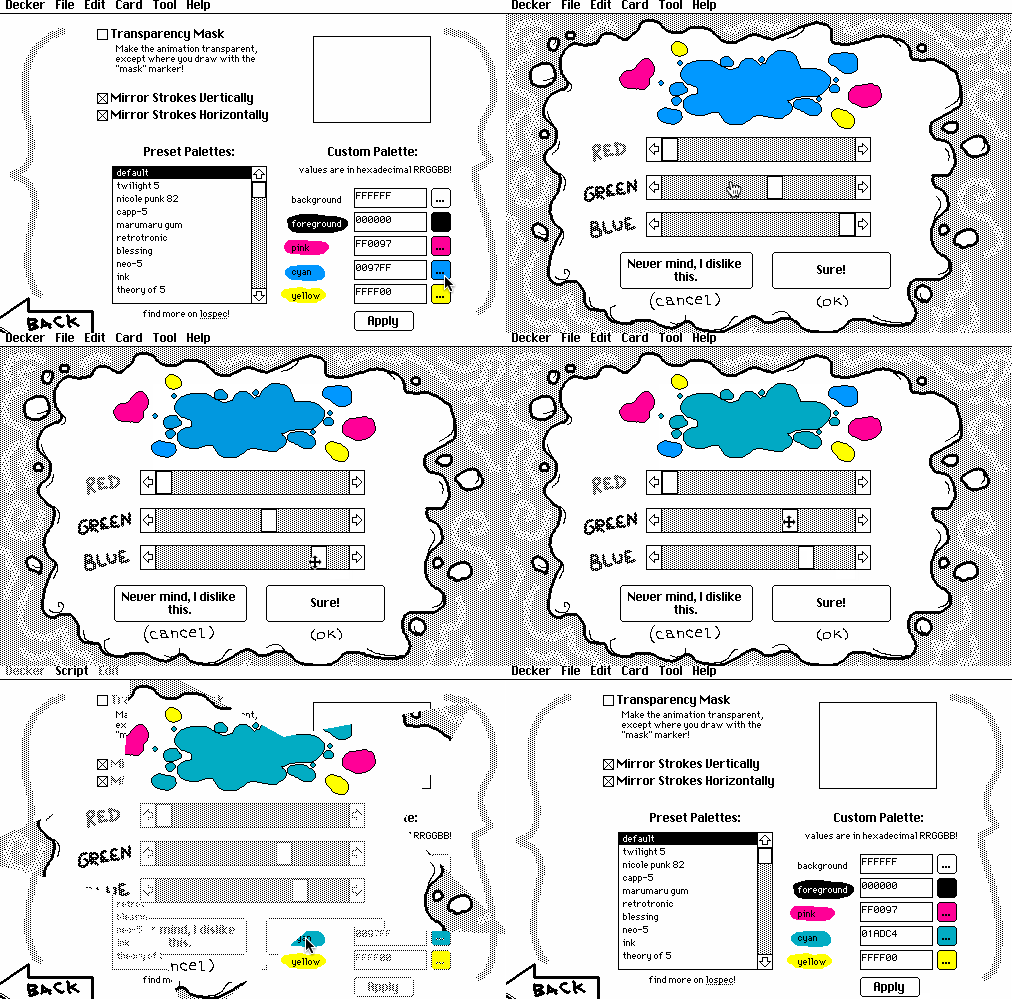
Color Picker
An interactive slider-based color picker for touchscreen users and anyone who finds hex codes intimidating
✂️ Alter Dialog
🪞 Mirror Brushstrokes
🎨 Color Picker
v1.4
Released: October 6, 2025
- • More brush shapes and sizes for the marker tools
- • The eraser tool now has a configurable shape and size
- • Added 7 more default color palettes
- • Updated to use Decker v1.60 for access to the latest editing tools and system improvements
v1.3
Released: February 7, 2024
- • Added a simple range of brush sizes for the marker tools by popular demand. If anyone is slightly enterprising it is now very easy to modify WigglyPaint to add additional marker sizes and/or shapes. Have a tinker!
- • The "wiggler" contraption comprising the main drawing surface now exposes .animate[] and .flip attributes, making it suitable for use as a "fancy puppet" in Puppeteer.
v1.2
Released: December 15, 2023
- • Fixed problems with drawing on some touch-based devices
- • Added 13 more built-in palettes and a thumbnail view of the current drawing in the options screen
- • Adjusted the "Oops!" button: it now works as both undo/redo; clicking it once undoes a drawing operation, and clicking a second time restores it
- • Optimized in exporting considerably smaller thanks to general system improvements in Decker 1.35
v1.1
Released: December 10, 2023
- • Added an "Oops!" button for rolling back the previous editing operation
- • Added an "Options" screen
- • Added "Transparency Mask" mode, which makes it possible to draw and save partially transparent GIF animations
- • Added a collection of alternative 5-color palettes and an interface for setting up a custom color palette
Try the Latest Version!
Experience all the new features in Wigglypaint v1.5